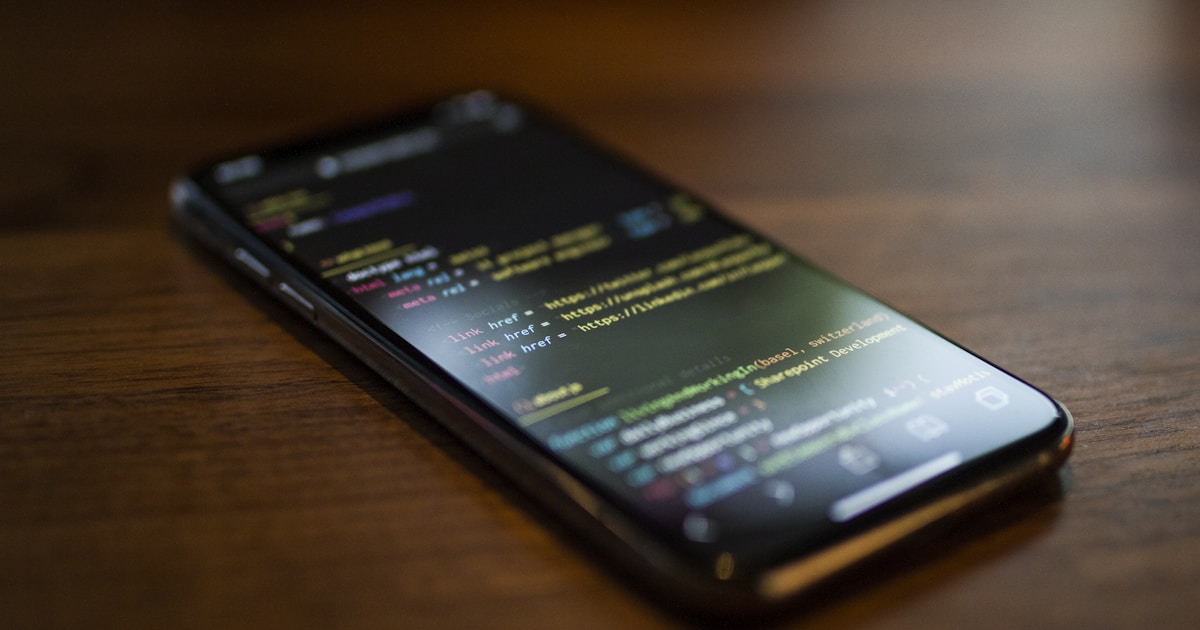
Progressive Web App: Native-Like Mobile Experiences
Progressive web app technology bridges the gap between web and native mobile applications by providing offline capabilities, push notifications, and installability. Therefore, businesses can reach users across all platforms with a single codebase while delivering app-like experiences. As a result, PWAs reduce development costs while increasing reach compared to platform-specific native apps. Still, the technology rewards careful engineering — the difference between a PWA that feels native and one that feels like a website in a frame comes down to how deliberately you handle caching, lifecycle, and permissions.
Service Workers and Caching Strategies
Service workers act as network proxies that intercept requests and serve cached responses when offline. Moreover, different caching strategies suit different content types — cache-first for static assets and network-first for dynamic data. Consequently, applications remain functional even with intermittent connectivity. Workbox simplifies service worker implementation with pre-built caching strategies and routing rules. Furthermore, background sync queues failed requests and retries them when connectivity returns.

Choosing a strategy per route is the heart of a good offline experience. Cache-first works for fingerprinted assets that never change once shipped, because a stale hit is impossible when the filename encodes the content hash. Network-first suits API data where freshness matters but a slightly old response beats an error screen. Stale-while-revalidate splits the difference: it serves the cached copy instantly and updates the cache in the background, which feels fast while staying reasonably current. The mistake to avoid is caching everything with one blunt strategy — cache-first on an HTML document, for instance, can trap users on an old build for days.
Progressive Web App Manifest and Installation
The web app manifest defines how the PWA appears when installed on a device, including icons, theme colors, and display mode. Additionally, the beforeinstallprompt event lets you defer the browser’s default banner and present a custom install prompt at a moment of genuine engagement. For example, showing an install call-to-action after a user completes a meaningful action tends to convert better than firing a prompt the instant the page loads.
// Service worker with Workbox caching strategies
import { precacheAndRoute } from 'workbox-precaching';
import { registerRoute } from 'workbox-routing';
import { CacheFirst, NetworkFirst, StaleWhileRevalidate } from 'workbox-strategies';
import { ExpirationPlugin } from 'workbox-expiration';

// Precache app shell
precacheAndRoute(self.__WB_MANIFEST);

// Cache-first for images (7-day expiry)
registerRoute(
  ({ request }) => request.destination === 'image',
  new CacheFirst({
    cacheName: 'images',
    plugins: [new ExpirationPlugin({ maxEntries: 100, maxAgeSeconds: 7 * 24 * 60 * 60 })],
  })
);

// Network-first for API calls
registerRoute(
  ({ url }) => url.pathname.startsWith('/api/'),
  new NetworkFirst({
    cacheName: 'api-responses',
    networkTimeoutSeconds: 3,
  })
);

// Background sync for offline form submissions
import { BackgroundSyncPlugin } from 'workbox-background-sync';
registerRoute(
  ({ url }) => url.pathname === '/api/submit',
  new NetworkFirst({ plugins: [new BackgroundSyncPlugin('formQueue', { maxRetentionTime: 24 * 60 })] }),
  'POST'
);
Pre-caching the app shell ensures the core UI loads instantly on repeat visits. Therefore, perceived performance matches native app expectations.
Cache hygiene deserves a word of caution, because storage is not infinite. Browsers impose quota limits per origin, and on mobile they evict the least-recently-used origins under pressure without warning. Consequently, an ExpirationPlugin with sensible maxEntries and maxAgeSeconds values is not optional polish — it is what keeps your image cache from ballooning past the quota and getting wiped wholesale. Equally important is versioning: when you ship a new build, the precache manifest changes, and Workbox cleans up the previous revision during the activate phase. If you hand-roll caching instead, you must delete stale caches yourself, or users will accumulate dead assets across releases. In short, lean on the framework’s lifecycle hooks rather than fighting them, and reserve manual cache code for the genuinely unusual routes that the standard strategies cannot express.
Custom Install Flow and Lifecycle Edge Cases
A polished install flow takes a few lines of careful event handling. The key is to capture the event, suppress the default UI, stash the prompt, and trigger it later from your own button.
let deferredPrompt = null;

window.addEventListener('beforeinstallprompt', (event) => {
  event.preventDefault();        // stop the automatic mini-infobar
  deferredPrompt = event;        // save for later
  showInstallButton();           // reveal your own CTA
});

installButton.addEventListener('click', async () => {
  if (!deferredPrompt) return;
  deferredPrompt.prompt();
  const { outcome } = await deferredPrompt.userChoice;
  console.log(`Install ${outcome}`); // 'accepted' or 'dismissed'
  deferredPrompt = null;         // a prompt can only be used once
  hideInstallButton();
});

window.addEventListener('appinstalled', () => {
  hideInstallButton();           // already installed; don't nag
});
Several edge cases bite teams in practice. The beforeinstallprompt event never fires on iOS Safari, so you must detect that platform and show manual “Add to Home Screen” instructions instead. The deferred prompt is single-use, so guard against double clicks. Finally, an updated service worker stays in the waiting state until every tab is closed; if you want updates to apply sooner, call skipWaiting() deliberately and reload — but only after warning the user, since swapping the controller mid-session can break in-flight requests.
Push Notifications and Engagement
Web Push API enables re-engagement through notifications even when the browser is closed. However, notification permission requests must be contextual and value-driven to avoid user rejection. In contrast to aggressive permission prompts on page load, delayed contextual prompts achieve significantly higher opt-in rates because the user already understands what they are subscribing to.

Be honest about the platform gaps before you build a push strategy. On iOS, web push works only for PWAs the user has actually added to the home screen, and the lifecycle is stricter than on Android or desktop. Permission, moreover, is a one-shot resource: if a user denies it, the browser will not ask again, and your only recourse is to direct them into site settings. Therefore, gate the prompt behind a clear in-app explanation, and never trigger it during the first seconds of a visit.
App Store Distribution
PWAs can now be listed on the Google Play Store using a Trusted Web Activity (TWA) and on the Microsoft Store natively. Additionally, Apple has gradually improved PWA support on iOS, including web push for installed apps. Specifically, PWABuilder automates the packaging process for multiple app stores from a single PWA, generating the wrapper project and signing configuration for you.

When NOT to Choose a PWA
A PWA is not the right tool for every job, and pretending otherwise leads to disappointment. If your product depends on deep hardware integration — Bluetooth peripherals, advanced camera controls, background geolocation, or NFC — native APIs remain more capable and more consistent across devices. Likewise, graphically intense games and apps that need precise low-level performance are usually better served natively. The honest trade-off is reach and maintenance cost versus capability and platform polish. For most content, commerce, and productivity apps, the PWA wins decisively; for hardware-heavy or performance-critical apps, lean native or a hybrid approach. If you are weighing cross-platform options, our companion guide on Kotlin Multiplatform Mobile covers a complementary path that keeps native UI while sharing logic.
Further Resources:
In conclusion, progressive web app technology delivers native-quality mobile experiences with the reach and simplicity of the web. Therefore, evaluate PWAs for your next mobile project to maximize user reach while minimizing development and maintenance costs — while staying clear-eyed about the cases where native still wins.